
Staying online in Iceland is easier than most first-time visitors expect, but it works differently depending on whether you're in Reykjavik, driving the Ring Road, or heading into the Highlands.
Short answer
Mobile coverage in Iceland is strong, with 4G/5G along most of the Ring Road, in towns, and on popular routes like the Golden Circle and South Coast. It becomes patchy or absent on F-roads and in the central Highlands. For most self-drive travellers, an eSIM or local prepaid SIM covers day-to-day navigation and calls cheaply; a pocket wifi or car wifi rental is worth it for groups needing to connect several devices at once. Free wifi is everywhere in hotels, cafes and petrol stations, but it's no substitute for a connection while you're actually driving.
How good is mobile coverage in Iceland?
Coverage is genuinely good in the places most travellers spend their time. Iceland's three carriers, Síminn, Vodafone, and Nova, all run 4G and 5G networks that reach Reykjavik, Akureyri, Keflavik Airport, and virtually every town along Route 1 (the Ring Road). Popular routes such as the Golden Circle, the South Coast, and the Snæfellsnes Peninsula are well served by at least one network for most of their length.
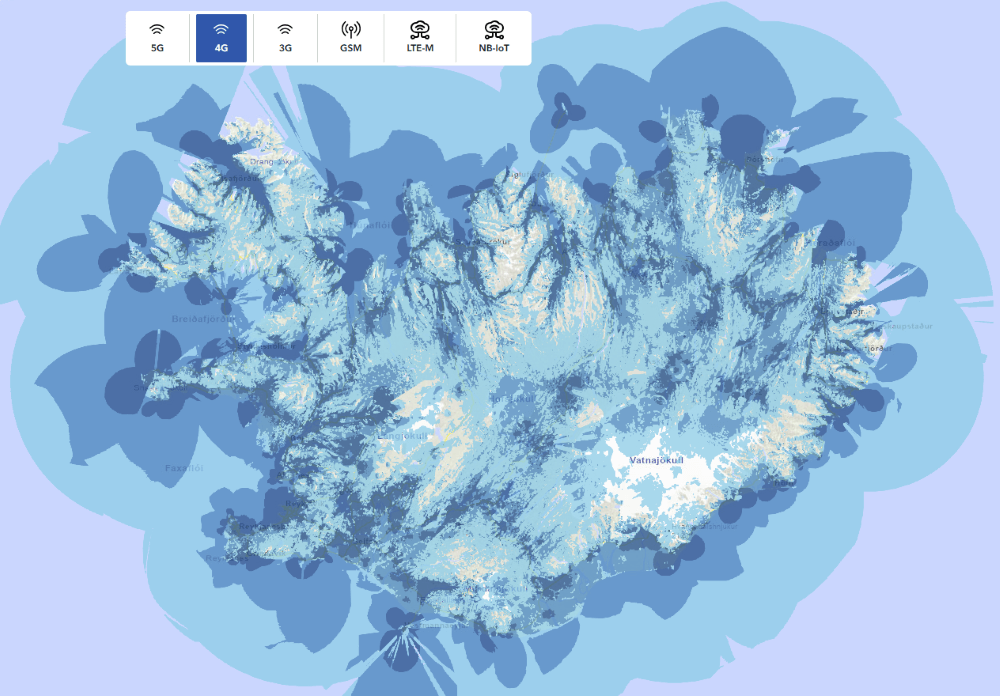
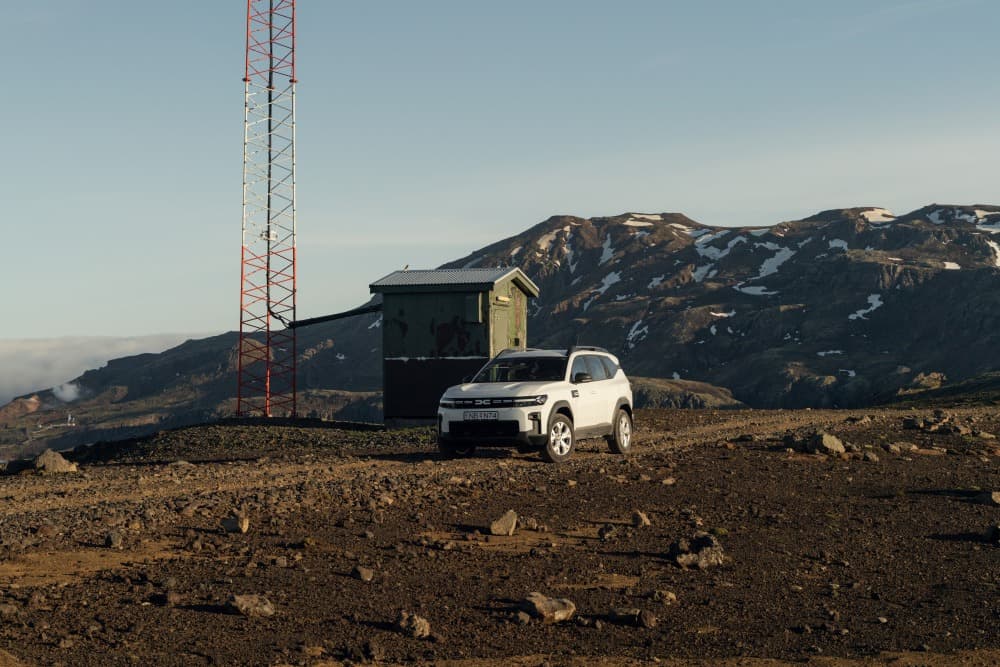
The picture changes once you leave the main roads. On F-roads into the interior, in parts of the Westfjords, and inside the central Highlands, signal becomes unreliable and can disappear entirely for long stretches. This isn't a flaw in your phone or provider, it reflects how few people live in these areas and how few towers are needed or built there. If you're planning a route that includes F-roads, it's worth reading up on what F-roads actually involve for a rental car before you rely on real-time navigation to get you through.
If you're travelling from the EU or EEA, your home plan's roaming allowance typically applies in Iceland at no extra cost, since Iceland is part of the EEA roaming zone, though it's worth a quick check with your provider before you fly. Travellers from the US, UK, Canada, and Australia don't get this benefit and should expect standard (often expensive) international roaming rates unless they set up a local SIM, eSIM, or portable hotspot.

Is there wifi in Iceland's hotels, cafes and petrol stations?
Yes, free wifi is widely available in Icelandic accommodation, cafes, restaurants, and fuel stations, including in smaller towns. Keflavik Airport has free wifi throughout the terminal. Almost every hotel, guesthouse, and hostel offers it to guests, and most coffee shops and N1 or Orkan petrol stations along main routes have a network you can join, sometimes with a posted password.
The catch is straightforward: wifi only works where you've stopped. Between towns, which on a Ring Road trip can mean an hour or more of driving, there's no wifi at all, only whatever mobile signal your carrier picks up. If your plan is to check road conditions, message home, or look up directions only when parked, free wifi will cover you fine. If you need a connection while actually on the move, you'll need mobile data through roaming, a SIM, an eSIM, or a hotspot.

eSIM vs local SIM vs pocket wifi vs car wifi rental
There's no single best option, it depends on how many people and devices need to be online, and how much of your route runs through areas with weaker coverage. The table below compares the main choices.
| Option | Best for | Devices | Setup | Notes |
|---|---|---|---|---|
| Home plan roaming | EU/EEA travellers, or anyone with an included roaming plan | Just your phone | None, works automatically | Non-EEA travellers should check rates before relying on this; can be expensive without a plan |
| Local prepaid SIM | Solo travellers or couples with an unlocked phone | One device per SIM | Buy at the airport, a shop, or petrol station; swap SIM | Reliable local data, but you lose access to your home number while it's in |
| eSIM | Travellers with eSIM-compatible phones who want convenience | One device per eSIM, dual-SIM possible | Download via QR code before or on arrival | No physical swap needed; not all phones support it |
| Pocket wifi hotspot | Families or groups with multiple devices | Several, depending on the unit | Rent in advance or at pickup; charge nightly | One data plan shared across phones, tablets, laptops |
| Car wifi rental | Self-drive travellers who want connectivity built into the car pickup | Several, depending on the unit | Added at car rental pickup | No separate errand for a SIM or hotspot; returned with the car |
| Free public wifi only | Light users comfortable being offline while driving | Unlimited at each location | None | No coverage between stops, not ideal if you need live navigation or alerts on the road |
A few practical notes to go with the table:
- eSIM vs local SIM comes down to your phone and habits. If your device supports eSIM and you don't mind losing your regular number temporarily on a physical SIM, either works well, eSIM is marginally more convenient since there's nothing to swap or lose.
- Pocket wifi vs car wifi rental is mostly about logistics. A pocket wifi hotspot ordered separately means one more pickup point or delivery to coordinate. A car wifi rental added at the same time as your vehicle means you leave the airport already connected, worth asking about when you book your car and check what's included.
- Roaming remains the simplest option if your plan already covers Iceland, but non-EEA travellers should confirm the cost of data roaming before turning it on, since rates vary a lot by carrier.
Staying connected, and planning for when you can't, in the Highlands
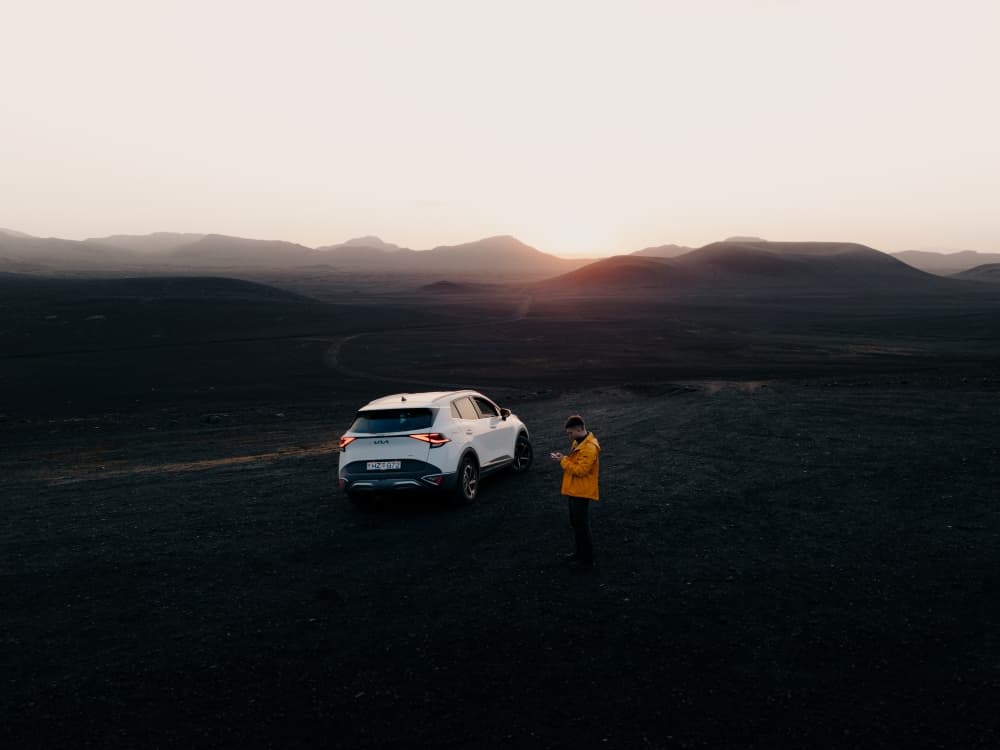
The honest answer here is that you should plan for no signal at all once you're on F-roads or deep in the interior, rather than hoping for the best. Download offline maps (Google Maps and most navigation apps let you save an area for offline use) before you leave a town with signal, and keep a physical or printed backup of your route for anywhere reception has historically been poor.
Before any Highland or F-road drive, check current conditions at umferdin.is (Vegagerðin, the Icelandic Road Administration) and safetravel.is, and register your travel plan on safetravel.is if you're heading somewhere remote. The Icelandic Met Office (vedur.is) is the source to check for weather that could affect your route, since conditions can shift quickly even when the forecast looked fine that morning. If you're still deciding whether your route needs a 4x4 in the first place, this rundown of when a 4x4 is actually necessary is worth reading alongside your connectivity planning, since the two decisions usually go together. Winter adds another layer, see what to know before driving in Iceland in winter for how weather and road closures interact with limited signal in the colder months.
A pocket wifi or car wifi hotspot won't create signal where there's genuinely no tower, no device can do that, but having one means every phone in the car shares a single reliable connection wherever coverage does exist, rather than each person's individual plan working differently.

What Blue Car Rental offers for staying connected
Blue Car Rental offers a 4G wifi hotspot as an optional add-on at pickup, so you can leave Keflavik Airport already online without a separate stop for a SIM card. The unit connects to Iceland's local 4G network and supports several devices at once, which suits families or groups travelling in one car. It's added when you book or collect your vehicle and returned with the car at the end of the rental, no extra errand required.
If you've already set up online check-in ahead of your arrival, adding a wifi hotspot at that stage means pickup is just a matter of collecting the key and the device together. Most cars in the fleet have USB charging (check yours at pickup), so your phone, hotspot, or navigation device stays powered through a full day of driving. If you run into trouble on the road, Blue's roadside assistance is reachable by phone, which is another reason having some form of connectivity, even a basic local SIM, is worth arranging before you head off the beaten path.
Mistakes to avoid
A few connectivity mistakes come up repeatedly with self-drive travellers:
- Assuming international roaming from a non-EEA country is free or cheap. Check your carrier's Iceland rates before you land, some charge per MB, which adds up fast.
- Relying only on live navigation for a Highland or F-road route. Download offline maps in advance; the map itself stops loading once you lose signal, even though GPS positioning keeps working.
The bottom line
Staying connected in Iceland isn't about finding one perfect solution, it's about matching the option to your route. If you're sticking to the Ring Road, Golden Circle, and South Coast, an eSIM or local SIM will comfortably cover navigation, weather checks, and calls. If you're travelling as a group or plan to venture toward F-roads and the Highlands, a shared pocket wifi or car wifi rental, combined with offline maps and a checked route on umferdin.is, is the more realistic setup. Either way, the goal isn't constant connectivity everywhere, it's having a plan for the stretches where there simply isn't any.
 PARKING IN REYKJAVÍK: ZONES, PAYMENT, AND WHERE TO LEAVE YOUR CAR