

If you're planning a self-drive trip to Iceland and searching for a "Blue Car Rental app," here's the short version: there isn't a separate app to download from the App Store or Google Play. Instead, Blue Car Rental uses an online check-in process that generates a digital wallet pass, added directly to your phone's Apple Wallet or Google Wallet. It works like a mobile boarding pass and covers most of what an app would normally do, checking in, storing your booking, and getting updates before you drive.
The short answer
Blue Car Rental doesn't require a dedicated app installation. You complete online check-in on the Blue Car Rental website before you travel, then save a wallet pass to your phone. At pickup, you scan that pass at the rental desk near Keflavik Airport instead of filling out paperwork from scratch. No separate download, login, or app-store account is needed, just your phone's built-in wallet function.
What Blue Car Rental actually offers instead of an app
Rather than building and maintaining a standalone app, Blue Car Rental runs the check-in process through its website, which works the same way on a phone, tablet, or laptop. The output of that process, the wallet pass, lives inside Apple Wallet or Google Wallet, the same place your flight boarding passes or event tickets sit.
This approach has a practical upside for travellers: there's nothing extra to install, nothing to update, and nothing tying up storage space on your phone during a trip where you're already juggling maps, photos, and flight apps. If you've used a digital boarding pass or a mobile hotel check-in before, the format will feel familiar.
How the wallet pass works, step by step
The process runs in four stages, from booking to key collection:
- Complete online check-in. Before you arrive in Iceland, finish your check-in on the Blue Car Rental website. This is where you confirm your booking details, review your insurance selection, and agree to the rental terms.
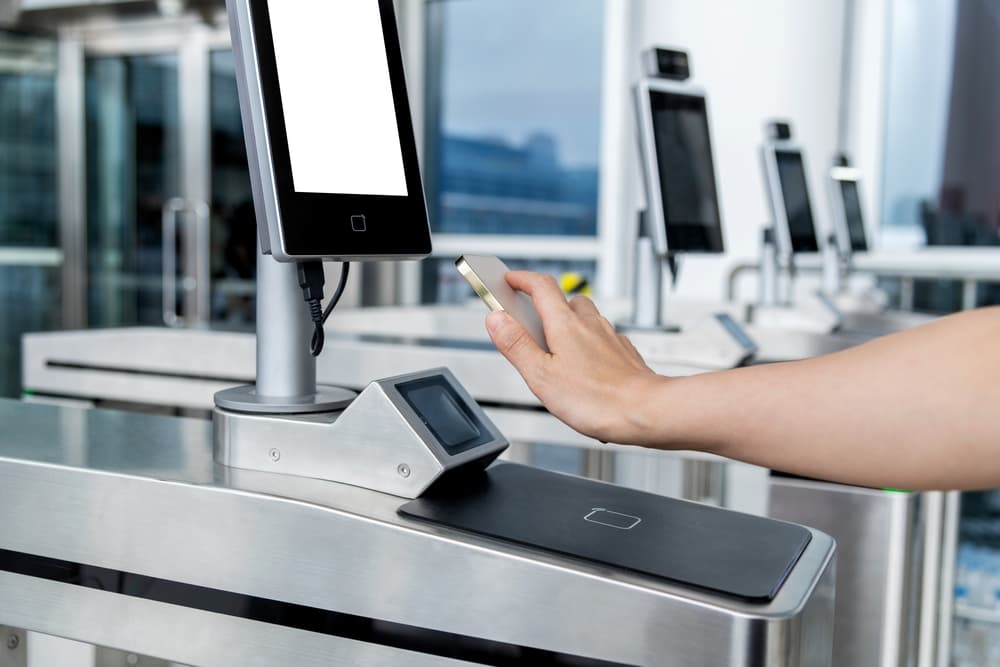
- Add the wallet pass to your phone. Once check-in is done, you'll be able to save a personalized wallet pass to your smartphone.
- Scan it at the desk. When you reach the Blue Car Rental office, scan the pass. This transfers your booking details to staff instantly, so you're not repeating information you've already provided.
- Collect your keys. Checked-in customers are directed to a faster key collection point rather than a full check-in queue. Key-box pickup is available to customers who add the Liability Waiver and complete online check-in.
This is the same process referenced when people search for "Blue Car Rental online check in", the wallet pass is simply what the check-in produces at the end.

Is the Blue Car Rental wallet pass safe to use?
Yes, the wallet pass uses the same standard format as airline boarding passes and hotel keys, stored in Apple Wallet or Google Wallet, which are built into iOS and Android rather than third-party apps you need to trust separately. Because there's no separate app to install, there's also no separate app permissions screen, login, or password to manage, you complete everything through the official Blue Car Rental website.
A few practical habits reduce risk further:
- Only start online check-in from bluecarrental.is directly, not from a link forwarded by someone else or an unfamiliar search result.
- Keep your booking confirmation email as a backup in case your phone's wallet app has trouble loading the pass.
- Treat the pass like a boarding pass, it contains your booking reference, so avoid sharing screenshots of it publicly.
If your phone doesn't support Apple Wallet or Google Wallet, your booking confirmation and check-in details are still accessible via email, so you're not locked out of the process.

What the wallet pass does and does not send you
The pass holds your booking details and updates when the booking changes. It is not a weather or road-alert service: Blue does not push storm warnings, closure notices or volcanic updates through it, so check conditions yourself before every drive.
For anything route-specific, especially before driving the Ring Road, mountain passes, or F-roads in the highlands, check current status directly with the Icelandic Road Administration at umferdin.is, safetravel.is, and the Icelandic Met Office at vedur.is before you set off, particularly in winter. Our winter driving guide covers how to read those sources in more detail.
How this compares to a traditional pickup
| Without online check-in | With online check-in + wallet pass | |
|---|---|---|
| Paperwork at the desk | Filled out on arrival | Reviewed and confirmed in advance |
| Time at the counter | Longer, especially during busy arrival periods | Shorter, details are already on file |
| Key collection | Standard queue | Directed to a faster collection point |
| Trip updates | None automatically | Booking changes only; road and weather need umferdin.is and vedur.is |
| What you still need | Driver's licence, credit card | Same, driver's licence, credit card, plus the pass |
Whichever route you take, you'll still need to bring your physical driver's licence and a credit card for the security imprint at pickup. That's an imprint only, Blue Car Rental doesn't hold or block funds as a deposit. If you want more detail on how that works, see car rental deposit options in Iceland.
Getting started
If you haven't checked in yet, the process is straightforward:
- Book your vehicle on the Blue Car Rental website, choosing from 2WD, 4x4, EV, family, or premium options depending on your route and season.
- Complete online check-in once your booking is confirmed, ideally a day or two before arrival, not while you're standing in the arrivals hall.
- Save the wallet pass to your phone.
- At Keflavik, head to the Blue Car Rental pickup point, scan your pass, and collect your keys. Details on the pickup location are on the Keflavik Airport location page.

Does this affect insurance, costs, or loyalty points?
No, the check-in method itself doesn't change your coverage or pricing. What you select during checkout and check-in (vehicle class, insurance add-ons, any loyalty discount) is what applies. Check-in is also the point where it's easiest to confirm what's included: Blue Car Rental's included coverage covers CDW, SCDW, Gravel Protection, Theft Protection, and Third-Party Liability as standard, with tyre and water-related cover falling under the Liability Waiver. If you're enrolled in the Blue+ loyalty programme, discounts (5% at Bronze, 10% at Silver from 250+ points, 15% at Gold from 400+ points) are tied to your account, not the check-in method, see the loyalty programme page for details. For a broader look at where rental costs come from, prices in Iceland for car hire is worth a read.
Conclusion
If you came here looking for a "Blue Car Rental app" to download, the honest answer is that there isn't one, and you don't need one. Online check-in plus a wallet pass covers the same ground: confirming your booking, storing your details, and speeding up pickup at Keflavik Airport, without asking you to install anything new. It's a standard, low-friction system built on tools your phone already has, which is part of why it holds up well on the safety and reliability questions travellers ask before their trip.
 PARKING IN REYKJAVÍK: ZONES, PAYMENT, AND WHERE TO LEAVE YOUR CAR